Two pattern makers for people who cut what they draw. Both run from a single HTML file in any browser — no install, no account, no internet after the download — and both export true-size SVG for a pen plotter, laser or router, plus a CSV of every point.
They are not two versions of one idea. They solve different geometry, and the curves look different because of it.
Mechanism Pattern Studio solves linkages. Seven of them — four-bar, drag link, slider-crank, five-bar pinned and sliding, two cranks on a telescoping bar, cam and follower — pinned, driven, and solved properly at every step, with a pen fixed anywhere on the moving parts and a turntable rotating under the paper. Bars swing and reverse, so the curves come out with cusps, loops and flat runs that no rolling circle produces. It tells you immediately when the lengths you have chosen cannot reach.
Trochoid Track Generator rolls. A planet on a track, with real tooth counts, so the figures close instead of drifting. The track can be one circle for the classic spirograph or up to six for racetracks, ovals and rounded polygons; the planet can be shaped rather than round, which is the quickest route to a figure no spirograph wheel could make. Roll it outside the track or inside it for two quite different families from the same numbers, in diametral pitch or module.
Learn one and you know most of the other: colour, fade, layers, animation, view and saving work the same way in both.
In the download
Mechanism Pattern Studio, Release 1.0 — with all seven illustrated nomenclature sheets built in, on a button beside the mechanism selector, and the written guide behind Help
Trochoid Track Generator, Release 1.2 — with its own guide behind Help
Both guides again as standalone pages, and as plain text
A START HERE page covering which tool suits which job
The detail
Runs offline, forever. Nothing is uploaded and nothing is tracked
Any current browser on Mac, Windows, Linux, iPad or phone
Output: SVG at true size, CSV point lists, layered compositions
Save and reload a session as a file
Free updates within the release you bought
Use the output for anything, personal or commercial. Sell what you make. Please don't redistribute the files themselves
Try both free on their product pages before you buy — the demos are the real tools with some of it held back.
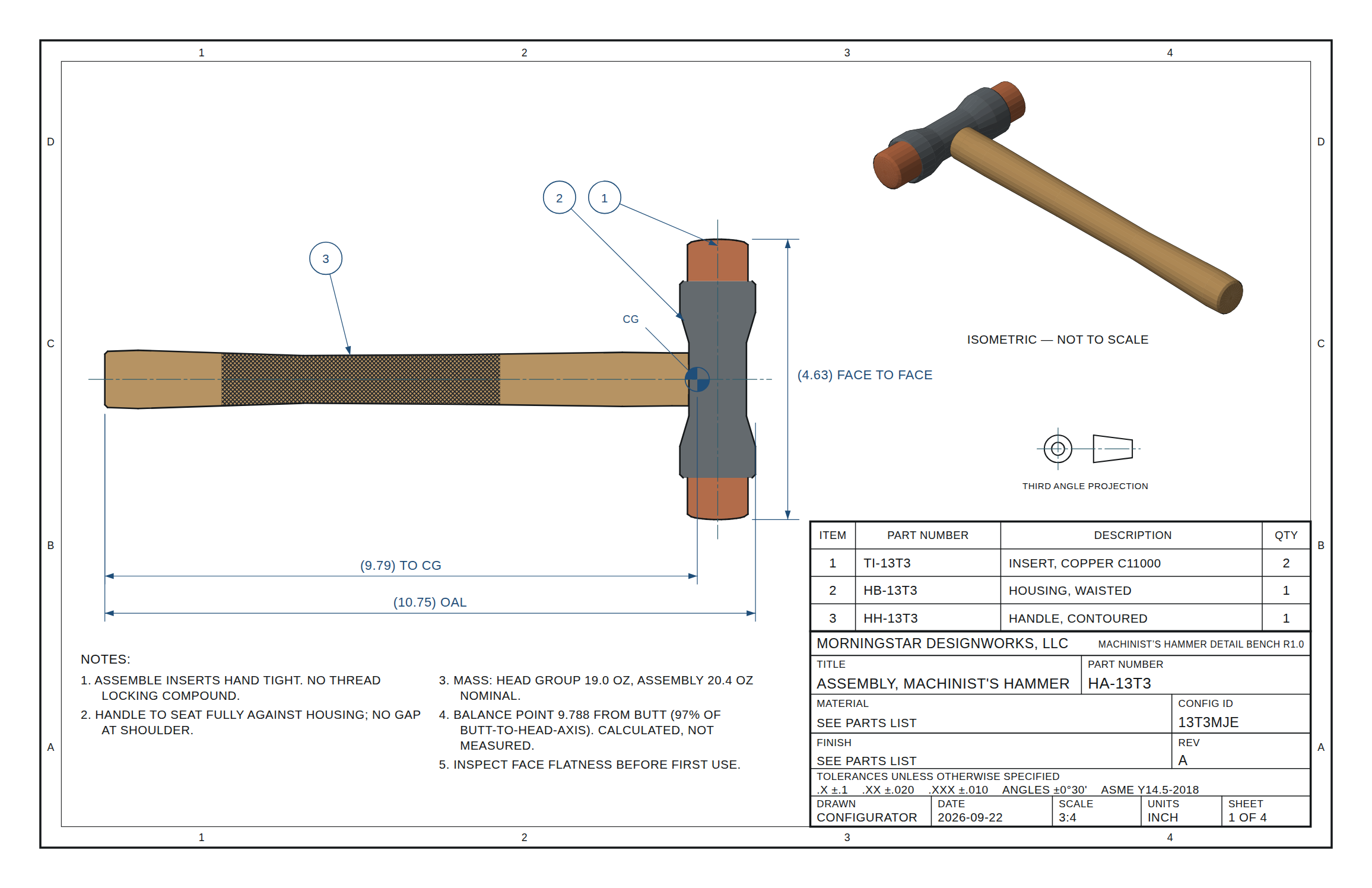
Configure a three-piece machinist's hammer (handle, housing and inserts, with a shot-filled dead-blow option) and get dimensioned shop prints back: ANSI B sheets, third-angle, ASME Y14.5. Change a size and every sheet redraws to match. Export SVG or layered DXF, or print the full set. One HTML file, nothing to install.
Requires only a browser; the readme in the download explains its use, and download links expire after 24 hours and are re-sent automatically if clicked late.
Grow a seed head one seed at a time and watch the Fibonacci spirals appear. Six head shapes, ten seed shapes, full color control, and export in color to your slicer or CAD. One HTML file, nothing to install.
Requires only a browser and an internet connection; the readme in the download explains its use, and download links expire after 24 hours and are re-sent automatically if clicked late.
The other listings say "offline," but this one can't. The lab loads its 3D engine from the web each time it opens, so I left "offline" out and named the internet connection instead. If a buyer tries it offline, the 3D view will be blank.
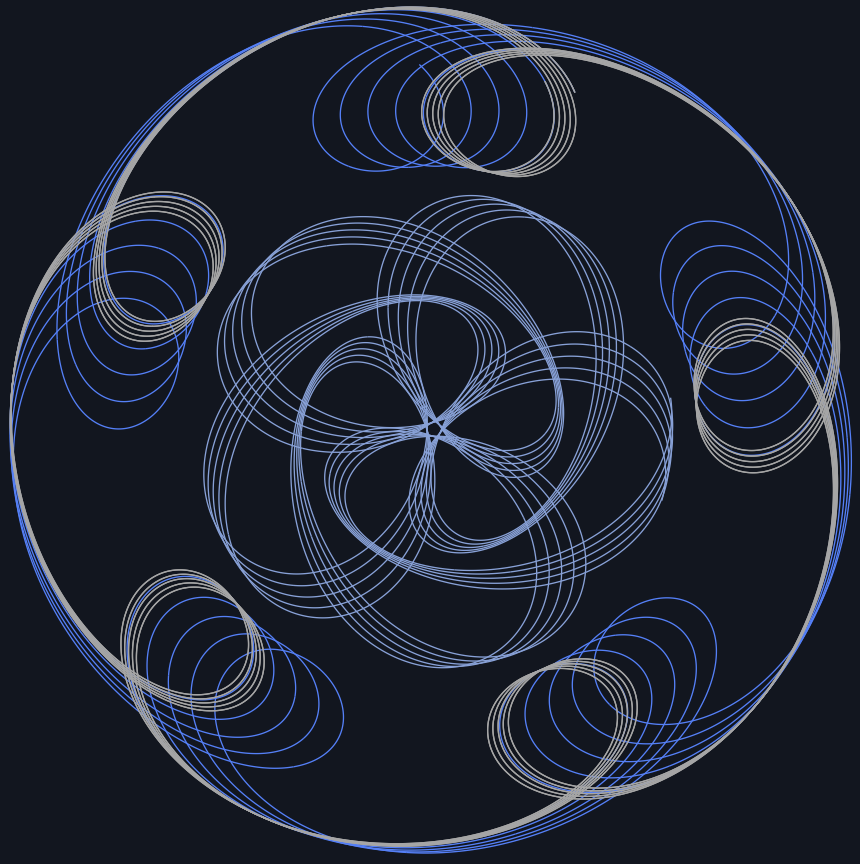
Draw curves from real linkages — four-bar, drag link, slider-crank, five-bar, cam and follower — and export true-size SVG. Runs in any browser, offline, no CAD needed. Ready for LightBurn, Carbide Create, Illustrator or Fusion.
Requires only a browser; the readme in the download explains its use, and download links expire after 24 hours and are re-sent automatically if clicked late. Both save you email.
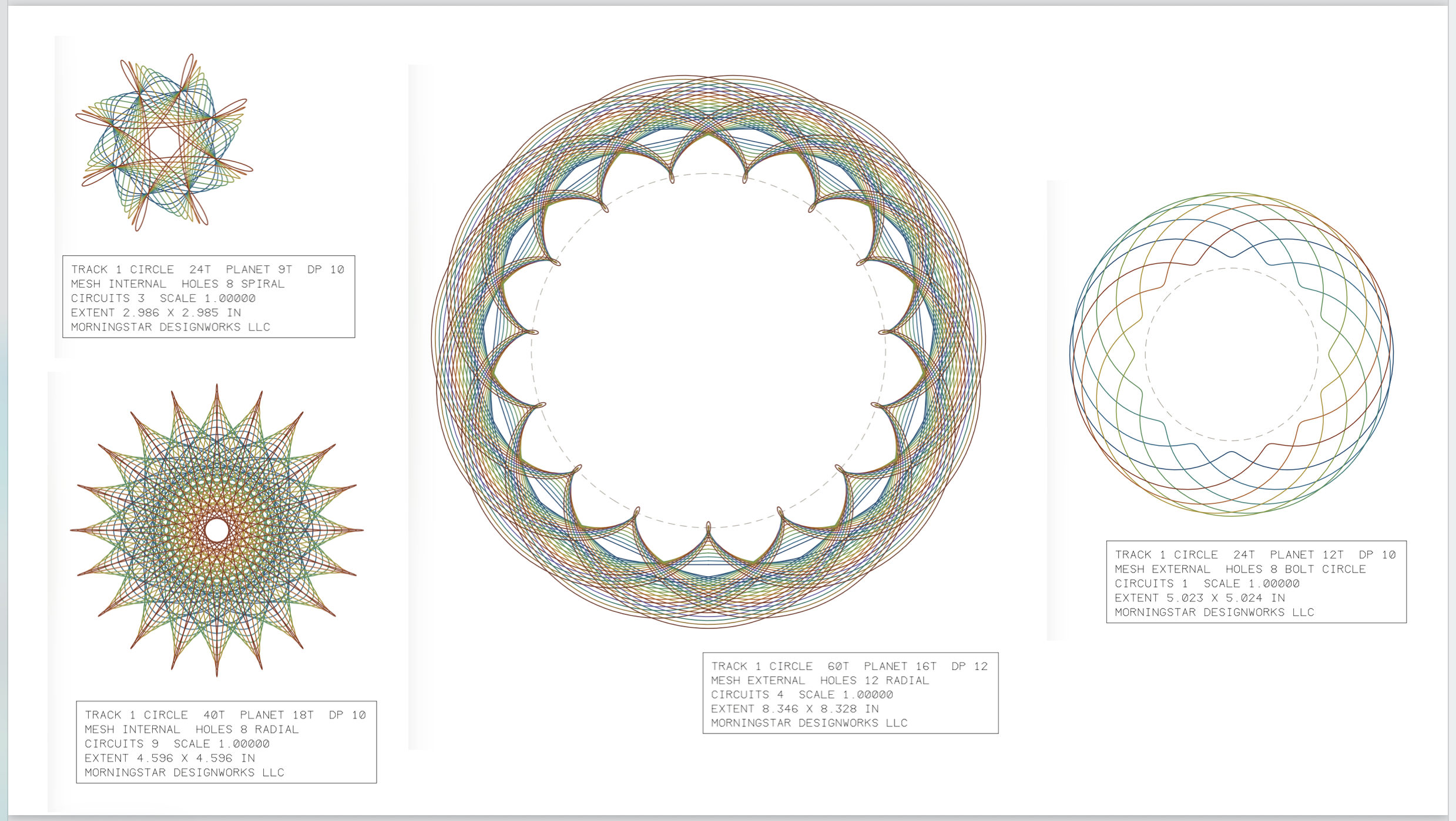
Draw spirograph-style patterns from real gear tooth counts and export true-size SVG. Runs in any browser, offline, no CAD needed. Ready for LightBurn, Carbide Create, Illustrator or Fusion.
The Studio version requires only a browser; the readme in the download explains its use, and download links expire after 24 hours and are re-sent automatically if clicked late. Both save you email.
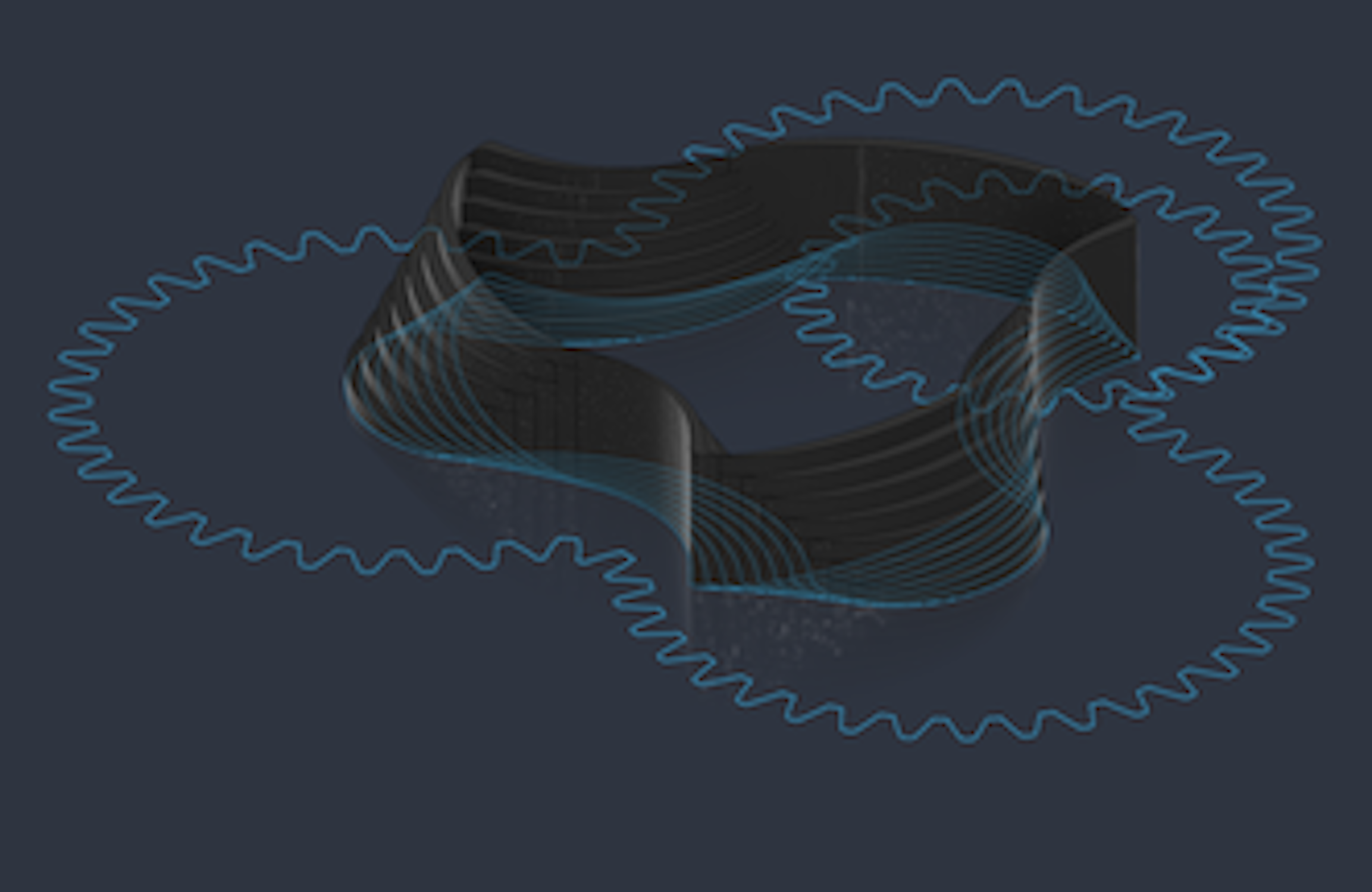
Roll a planet gear on a circle, racetrack or any closed path you draw, and get closed splines in your Fusion sketch. Draws real involute gear profiles too, with pen holes and shaft bores. Pattern, Extrude, Revolve, Sweep, Loft, etc; to make beautiful 3D Printable art. The picture shown, a 3D printable extrusion made by the tool.
The Fusion product requires Autodesk Fusion 360, the readme in the download explains installation and use; and download links expire after 24 hours and are re-sent automatically if clicked late. Both save you email.
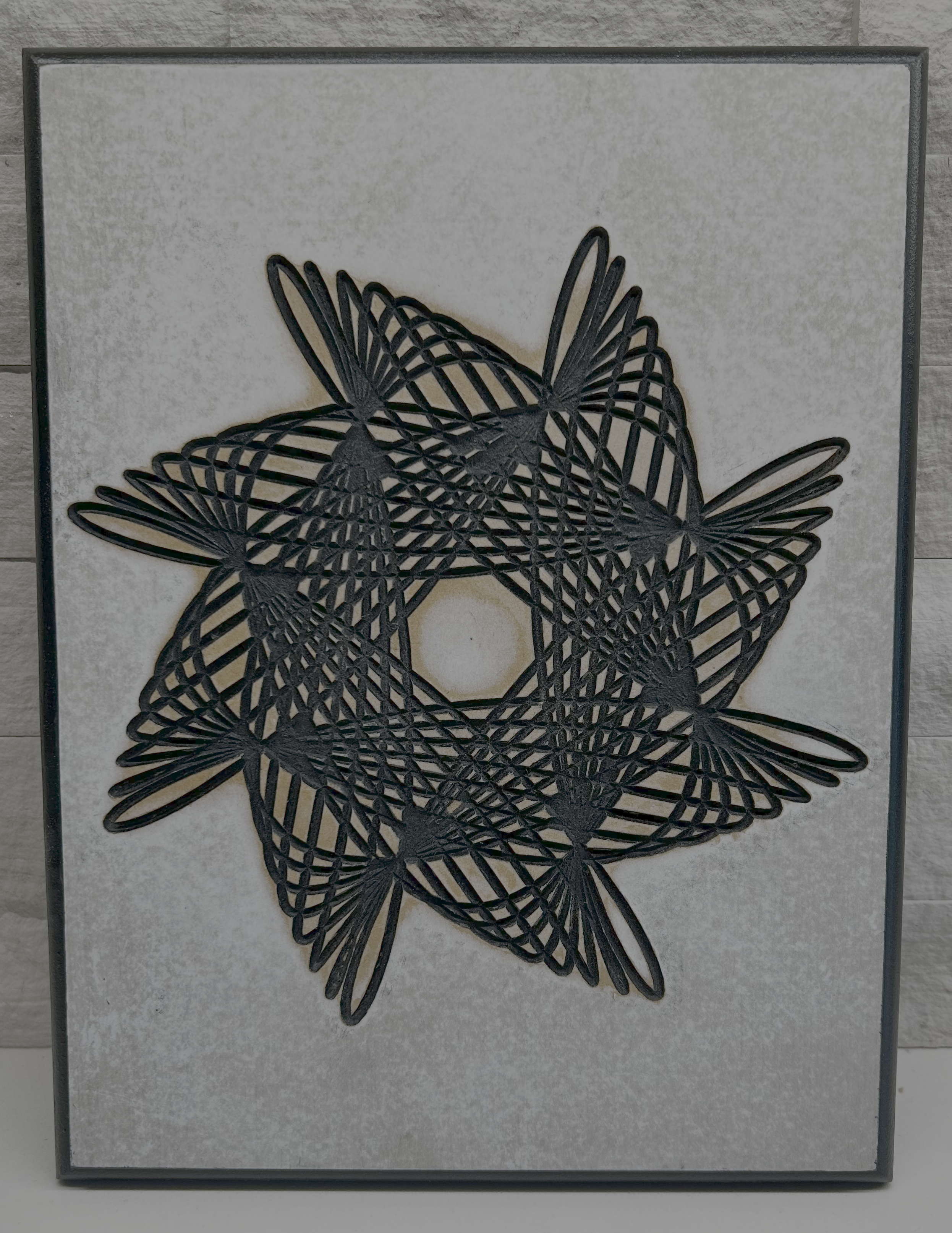
Make Something Beautiful. Use the Studio product to conceive the design. Use the Fusion product to create toolpaths for manufacturing.
Both versions, one download. Find a pattern in the browser, reproduce it in Fusion as real geometry you can extrude or machine. Includes both guides and the planet-selection workbook.
The Fusion product requires Autodesk Fusion 360, Studio product requires only a browser; see readme in the download for installation and use. Download links expire after 24 hours and are re-sent automatically if clicked late. Both save you email.
No results match your search. Try removing a few filters.